
NiceSurveys - Paid Surveys
Make Opinion GmbHLifestyle
4.43.17K Reviews
- Version
- 1.0.8
- Installs
- 100.00K
- Age Rating
- Mature 17+
Screenshots
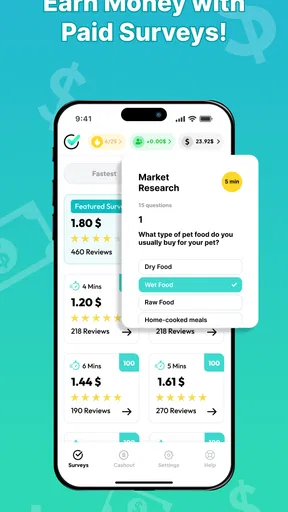
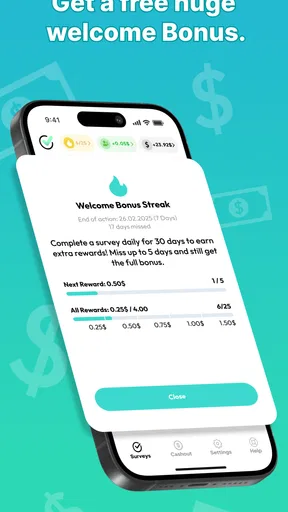
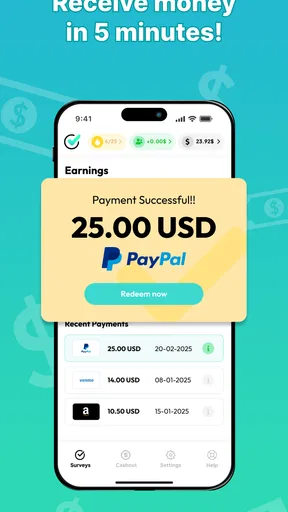
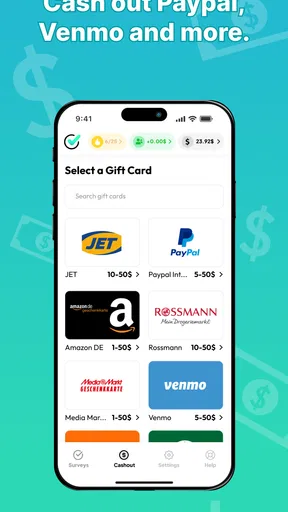
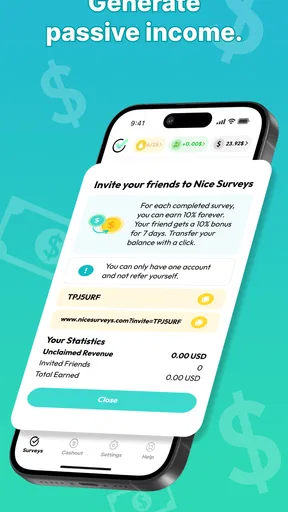
Our Review of NiceSurveys - Paid Surveys
 Analysis by Appyee
NiceSurveys - Paid Surveys is the kind of lifestyle app I would open when I have a few spare minutes and want to exchange my opinions for a possible reward. Its basic idea is simple: answer surveys from home rather than treating the app like a full second job. I found that simplicity useful, but it also makes the quality of each session depend heavily on which surveys are available to me at the time.
What makes this app worth considering is the low commitment. I do not need to plan a long work session or learn a complicated system before trying it. I can check the available tasks, decide whether one feels suitable, and leave when I no longer want to continue. That makes it more realistic for quiet moments during a normal day than for anyone looking for dependable income.
Make Opinion GmbH publishes the app, which sits in the lifestyle survey space rather than in banking, employment, or professional research software. It is free to install, carries a Mature 17+ content rating, and has reached over a hundred thousand installs. Its average rating is 4.4 from around twelve thousand ratings, with roughly three thousand reviews, so there is already a noticeable user base behind it.
How NiceSurveys feels to use in everyday situations
I find the everyday appeal of NiceSurveys less about squeezing surveys into every spare second and more about choosing a moment when I can give them proper attention. This section looks at how that choice affects comfort, focus, and whether a session fits around ordinary responsibilities. It also sets up the practical question of how to make each visit feel worthwhile.
Readability and navigation matter more than flashy design
When I use a survey app, I care less about decoration and more about whether I can immediately understand what is available. NiceSurveys benefits from having a focused purpose: I am there to find questionnaires, read their conditions, and decide whether to spend time on them. That narrow purpose is easier to approach than an app filled with unrelated offers, games, shopping tasks, or promotional distractions.
The most important reading task is not simply seeing a question. It is understanding what I am agreeing to before I begin. Survey questions can be repetitive, oddly phrased, or dependent on earlier answers. I recommend slowing down at the opening of each questionnaire and checking its expected effort and reward information carefully, rather than tapping through quickly because the first few screens look easy.
That habit is particularly helpful for people who find dense text tiring. A survey can appear manageable at first and become more demanding once it branches into several related topics. I would treat the first questions as a test of the app's readability and of my own concentration. If the wording feels unclear, guessing is usually worse than stopping, because careless answers can make the rest of the session frustrating.
Navigation also has a practical accessibility angle. Someone with attention difficulties may prefer opening the app only when they have a clear block of uninterrupted time, while someone who reads slowly may need to avoid starting a survey during a rushed commute. I found the app's straightforward purpose more approachable than alternatives that mix surveys with many other earning methods, but the survey format itself still demands patience.
For older users or anyone with reduced visual comfort, I would suggest changing the phone's system text or display settings before deciding whether the app works well for them. Larger text can make general phone use easier, but it may also alter how much content fits on a screen. The useful test is whether questions, answer choices, and any instructions remain easy to distinguish without constant scrolling or accidental taps.
Motor and sensory considerations during a questionnaire
Survey answering is often described as effortless, but it can still involve repeated taps, scrolling, selecting small choices, and moving through several screens. For a person with limited hand control, tremors, or joint pain, that repetition may be more significant than the app's simple appearance suggests. I would use a stable surface, take breaks between questionnaires, and avoid treating a reward as a reason to push through discomfort.
The best workflow for motor comfort is to choose shorter-looking tasks when possible, keep the phone positioned securely, and pause before submitting an answer. A mistaken tap near the end of a long survey is especially annoying because it can force a correction or make the user question whether the response was recorded. I prefer deliberate taps over trying to move quickly through easy-looking questions.
Sensory needs can vary widely. Bright screens, dense blocks of text, repeated transitions, or the pressure of a countdown can make a supposedly convenient task uncomfortable. I would use the phone's brightness, contrast, sound, and text settings to create a calmer environment, then complete the survey in a place with fewer distractions. These are device-level adjustments rather than special claims about the app, but they can make a meaningful difference.
People who rely on screen readers, switch controls, voice input, magnification, or other assistive tools should test a short questionnaire before investing much time. The key question is whether every question and answer control is announced clearly and can be reached in a sensible order. I would not assume that a clean visual layout automatically means a smooth experience with assistive technology.
Voice input may help someone who finds typing difficult, but survey answers often include choices, scales, and text fields that still require visual confirmation. I would use voice features only where they make sense and review each response before moving on. That extra check can be slower, yet it is safer than submitting an answer that the phone interpreted incorrectly.
Situational access: when the app fits and when it does not
NiceSurveys makes the most sense in quiet, flexible situations. I can imagine using it while waiting at home for an appointment, during a relaxed break, or after finishing daily tasks. Those moments allow me to read carefully and stop without consequences if concentration drops. The app's free entry point also makes that experiment less demanding than committing to a paid service.
A realistic example would be a person who works irregular hours and has short gaps between responsibilities. Instead of promising to complete a long session every evening, they could check the app during a calm window, choose a questionnaire that matches their available attention, and stop before the next obligation begins. The important advantage is control over timing, not a guarantee of regular earnings.
I would avoid starting a survey while driving, walking through busy traffic, caring for a child who needs immediate attention, or sitting somewhere with an unreliable connection. Even if a questionnaire begins smoothly, interruptions can make it difficult to remember earlier answers or return with the same level of focus. For users with anxiety around unfinished tasks, opening the app only when there is enough time to complete a session may be less stressful.
The app may also suit people who prefer written, individual activities over phone calls or public interaction. Completing a questionnaire privately can feel more comfortable than participating in a live study. At the same time, anyone who finds personal questions uncomfortable should read each survey's subject carefully and skip anything that crosses a personal boundary. Earning potential is not a good reason to disclose information that feels inappropriate.
For users who need predictable access, the main practical issue is availability. A survey app is not like a calendar or offline notes tool where the same core function is always ready. The usefulness of each visit depends on finding a suitable questionnaire at that moment. I would therefore treat it as an occasional option rather than building a daily routine around a specific expected amount.
What I would check before spending serious time
The first check is whether the app's survey flow feels understandable on my own device. I would open a questionnaire, read the introductory material, and examine how answer choices are presented before rushing into a long response. If the layout makes me lose my place, or if the wording feels too ambiguous, I would stop early rather than assume the experience will improve later.
The second check is whether the effort feels worthwhile for my personal situation. “Paid” does not mean every questionnaire will be a good use of time. Someone with only a few minutes may prefer a short opportunity, while someone with more patience may accept a longer one. I would compare the task's demands with the reward information shown inside the app and make a decision before investing attention.
The third check is privacy comfort. Surveys naturally ask about opinions, habits, preferences, or personal circumstances, and that can feel more intrusive than a simple entertainment app. I would read the app's own explanations and permissions carefully, answer only what I am comfortable sharing, and remember that skipping a topic is a reasonable choice.
The fourth check is age suitability. The Mature 17+ rating means I would not present NiceSurveys as a general family activity or hand it to a younger teenager without supervision. Adults should still use their own judgement about the subjects of individual questionnaires, especially if more than one person shares a device.
Where the experience can still create barriers
The biggest barrier is not necessarily a missing button; it is the mental load of repeated questions. People with fatigue, attention disorders, reading difficulties, or limited working memory may find it hard to retain instructions while moving through a long sequence. I would keep a quiet environment, avoid multitasking, and stop when answers begin to feel rushed or careless.
Language complexity can be another obstacle. A question may be grammatically correct yet still difficult to interpret, especially when it contains several conditions or asks me to compare similar choices. If the app offers no obvious way to clarify a confusing item, the user is left to decide whether to guess or abandon the survey. That is a real trade-off for anyone who needs plain, direct wording.
Motor barriers can accumulate even when no single interaction seems demanding. Repeated scrolling, precise selection, and confirmation steps may be manageable once but tiring across several surveys. I would not recommend chasing every available task to someone with hand pain or limited stamina. A slower, selective approach is more sensible than measuring success by the number of questionnaires opened.
Situational barriers also deserve attention. A person with unstable internet access, limited data, or a small phone screen may have a different experience from someone using a large, reliable device at home. I would prefer Wi-Fi when practical, keep the phone charged, and avoid beginning a survey immediately before leaving a stable location. These precautions cannot remove every interruption, but they reduce avoidable frustration.
There is also an emotional barrier for people who strongly dislike uncertainty. The app can be appealing precisely because it asks for little commitment, but that same flexibility means it may not provide a fixed schedule or dependable routine. If my priority were reliable income, a formal part-time job or established freelance platform would be a better fit. If my priority were casual opinion sharing during spare time, this app would be more appropriate.
How it compares with familiar alternatives
Compared with general rewards apps, NiceSurveys has a clearer identity because surveys are the central activity rather than one option among many. That can reduce decision fatigue for someone who does not want to sort through shopping offers, games, receipts, or promotional tasks. The trade-off is variety: users who enjoy switching between different earning formats may find a broader rewards service more engaging.
Compared with market-research panels accessed through a browser, a dedicated mobile app is more convenient for checking opportunities from a phone. I like the idea of having a focused place for this activity instead of managing several open tabs. However, a browser-based panel may suit someone who prefers a larger screen, keyboard input, or more deliberate reading, particularly when long questions are tiring on a handset.
Compared with microtask or freelance platforms, this is a much lighter commitment. I would not need to present a portfolio or negotiate with clients for ordinary survey participation. That simplicity is a strength for beginners, people with limited free time, and users who want a low-pressure experiment. It is also the reason I would not compare it with skilled freelance work as a serious income substitute.
Compared with ordinary opinion polls that offer no reward, the possibility of earning something gives the activity a clearer personal benefit. Still, I would keep expectations modest and focus on whether the process feels comfortable and transparent. The app's rating and growing install base make it look established enough to investigate, but they do not change the basic nature of survey work: the value depends on the individual opportunities available.
Device support and what the version tells me
The current version is 1.0.8, and the app supports Android 7.0 or later. That minimum is useful for people using an older compatible Android phone, although compatibility alone does not guarantee that every screen will feel equally comfortable on every device. I would check the display, touch response, and assistive settings on the actual phone I plan to use.
Because this is a mobile-first activity, screen size has a direct effect on readability and motor comfort. A compact phone may require more scrolling, while a larger display can make answer choices easier to separate. I would also keep the operating system and app updated when possible, since survey interfaces can be sensitive to display or input problems after broader device changes.
NiceSurveys is free, which removes the most obvious financial barrier to trying it. That does not mean the user's time, attention, mobile data, or privacy comfort are free. I would treat those as the real costs and decide whether each questionnaire deserves them. This mindset helps prevent the common mistake of continuing simply because no money was paid upfront.
My inclusive verdict for potential users
I see NiceSurveys as a reasonable option for adults who want a simple way to explore paid surveys during flexible spare time. Its focused purpose, free access, and straightforward concept make it easier to approach than a crowded rewards platform. I especially like it for people who prefer quiet, private tasks and want to choose their own moments rather than follow a fixed schedule.
I would recommend it cautiously to users with accessibility needs, not because the app makes any special accessibility promise, but because the real experience will depend on the phone, survey design, text presentation, and compatibility with the tools each person uses. A short trial is the sensible approach. Test reading, tapping, scrolling, and any assistive features before committing to longer questionnaires.
I would suggest skipping it if you need guaranteed earnings, dislike personal questions, struggle with repeated screen interactions, or need every task to be available offline. In those situations, a more predictable job, a larger-screen research panel, or a different type of flexible work may serve you better. NiceSurveys is not a replacement for stable employment, and I would not use it that way.
For me, the best way to use NiceSurveys - Paid Surveys is selectively: check it in a calm setting, read the survey conditions, choose tasks that match my energy and available time, and stop when the experience becomes tiring. The app's strongest quality is its low-pressure entry into paid opinion sharing. Its main weakness is that accessibility and usefulness can change from one questionnaire and one device to another.
Overall, I would keep it in the category of occasional lifestyle tools rather than dependable income apps. If you approach it with realistic expectations and pay attention to readability, motor comfort, sensory load, privacy, and interruptions, it can be a practical way to make spare moments feel a little more productive. The inclusive choice is not to force every user into the same workflow, but to let each person decide whether the app's survey demands fit their own body, device, and daily routine.
Verdict
Strengths of NiceSurveys - Paid Surveys
- Simple interface makes surveys easy to find and complete.
- Offers a convenient way to earn small rewards in spare time.
- Survey invitations can be matched to your profile and interests.
- Registration and participation are generally quick to set up.
- Useful for users who prefer flexible, short earning tasks.
Limitations of NiceSurveys - Paid Surveys
- Survey availability may vary significantly by location and demographics.
- Some surveys can screen you out after answering several questions.
- Earnings are usually modest and not a dependable income source.
- Rewards may require reaching a minimum withdrawal threshold.
- Frequent notifications can become distracting if not adjusted.
Other Releases by Make Opinion GmbH
View All
SurveyStreak - Earn Money
Lifestyle4.5
Similar Picks in This Category
View All
SmartThings
Samsung Electronics Co., Ltd.4.6

Google Home
Google LLC4.0

Pinterest4.2

Astrotalk - Talk to Astrologer
Astrology & Horoscope4.7

My Verizon
Verizon Consumer Group4.5

Samsung Wallet (Samsung Pay)
Samsung Electronics Co., Ltd.4.1
Frequently Asked Questions
What is NiceSurveys – Paid Surveys, and how does it work?
NiceSurveys – Paid Surveys is a rewards app that lets users answer market-research questionnaires in exchange for points or other available rewards. After creating an account, you can browse the surveys offered to your profile, review the estimated time and reward, and complete eligible questionnaires. Survey availability usually depends on your location, demographic information, and current research demand.
Can I really earn money with NiceSurveys – Paid Surveys?
NiceSurveys may provide rewards for completed and approved surveys, but it should be considered a small side-earning opportunity rather than a reliable source of income. The number of invitations and the value of each survey can vary considerably. Some questionnaires may also screen you out after a few questions, so earnings depend on eligibility, availability, and the app’s current reward and withdrawal policies.
How do I receive my rewards from NiceSurveys?
Reward options and withdrawal requirements can vary by country, account status, and the offers currently available in the app. Before spending time on surveys, check the rewards or cash-out section for the minimum balance, supported payment methods, processing times, and any verification requirements. You should also make sure your payment details are accurate, since incorrect information may delay or prevent a successful payout.
Is NiceSurveys safe to use, and what personal information does it request?
As with most survey platforms, NiceSurveys may request profile details such as your age range, location, employment status, interests, or household information to match you with research studies. Read the privacy policy and app permissions before registering, and avoid submitting sensitive information that is not necessary for a survey. Use a strong, unique password and download the app only from an official store or trusted source.
Why am I not receiving many surveys or getting screened out?
Survey invitations are matched according to demographic and market-research requirements, so not every user will receive the same opportunities. You may also be screened out when a study reaches its quota or your profile does not match the target audience. Keeping your profile complete and truthful can improve matching, but it cannot guarantee regular invitations, uninterrupted surveys, or a specific level of earnings.
